 By Marketing Automation Expert
 Switching to GoHighLevel is one of the best decisions a service business can make. One platform replaces your CRM, your email tool, your SMS system, your booking calendar, your landing page builder, and your automation workflows – and everything talks to everything else natively.
But the migration itself? That is where most businesses run into trouble.
A 2026 analysis of 500+ GoHighLevel agency migrations found that 73% of businesses experience at least minor disruptions during the transition, and 12% face significant challenges that delay their go-live date by weeks. Migration failures cost businesses an average of $47,000 in lost productivity, emergency consulting fees, and extended periods running two platforms simultaneously.
Related reading: Why Your Business Is Losing Leads Every Day – And How GoHighLevel Fixes It →
How to Set Up GoHighLevel for Small Businesses →
What are the most common GoHighLevel migration challenges?
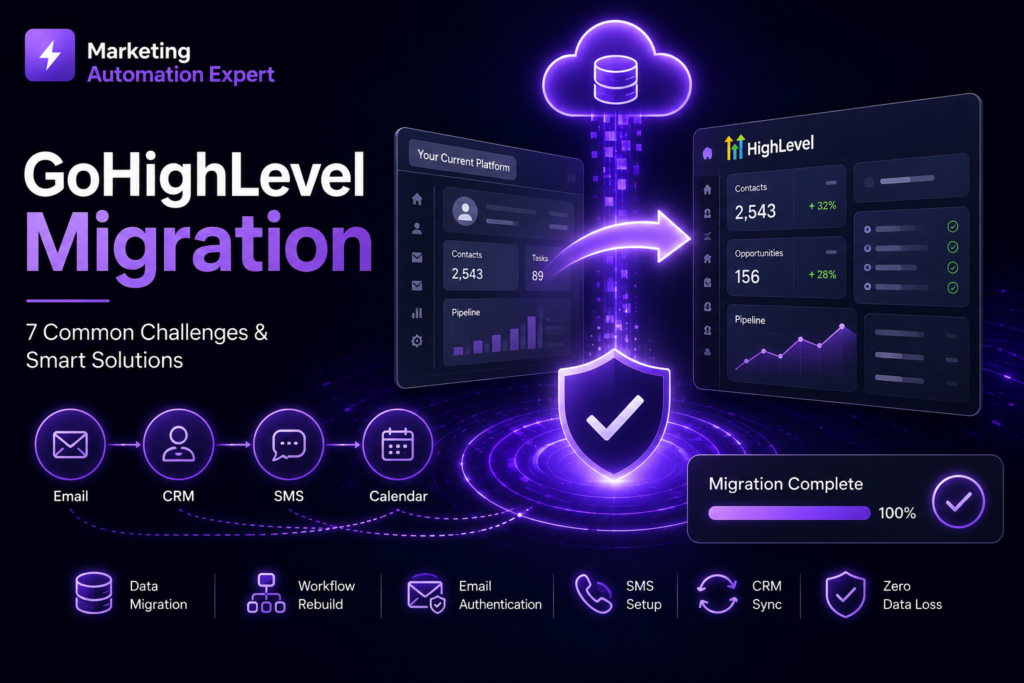
The seven most common GoHighLevel migration challenges are: skipping the pre-migration audit, losing data during contact import due to field mapping errors, failing to rebuild workflow logic correctly in GHL’s trigger-action structure, breaking email deliverability by not re-authenticating the sending domain, letting SMS go dark because A2P 10DLC registration was not started early enough, creating 404 errors from old landing page URLs with no redirects in place, and going live before parallel testing is complete. Every one of these is preventable with a structured migration plan and the right sequence of phases.
Further reading: Data Migration – Wikipedia | Customer Relationship Management – Wikipedia
Challenge 1 – Skipping the Pre-Migration Audit
This is the most commonly skipped step in any GoHighLevel migration – and the one that causes the most downstream problems. According to GHL Scale Up’s 2026 migration checklist analysis, 43% of all data issues during GHL migrations trace back to inadequate pre-migration documentation.
Most businesses are eager to start building inside GoHighLevel. So they skip the audit phase and jump straight to importing contacts. The result is always the same: they get inside GHL and realise they have no idea which automations were actually active in their old platform, which contact fields need to exist before import, or which integrations need to be rebuilt before going live.
What experts do instead:
Before touching GoHighLevel, document everything that currently exists in your old platform – every active workflow, every pipeline stage, every custom field, every integration, every landing page, every form, and every email template. Map each one to its GHL equivalent. Flag anything that will need to be rebuilt from scratch rather than migrated directly.
This phase takes time. It also saves three hours of cleanup for every one hour invested, consistently, across every migration we have completed.
Start with the right foundation: GoHighLevel Setup Checklist: 10 Things to Configure Before You Go Live →
Challenge 2 – Data Loss During Contact Import
Contact data is the most valuable asset you are moving. Lose it – or corrupt it – and you are starting from scratch with your lead database.
The most common cause of data loss during GHL migrations is field mapping errors. Your old CRM stores data in fields with specific names and formats. GoHighLevel stores data differently. If you import a CSV before creating the matching custom fields in GHL, contact data that has nowhere to go is either dropped silently or mapped to the wrong field – corrupting records that look fine on the surface but contain wrong information.
A 2026 data migration report found that over 80% of migration projects exceed their original timeline due to unforeseen data issues – and schema mismatches between source and target systems are one of the leading causes.
What experts do instead:
Build your complete custom field structure inside GoHighLevel before importing a single contact. Export your contact list, clean it – removing duplicates, fixing formatting, validating phone numbers with country codes – and then map every column in your CSV to the correct GHL field before running the import. After import, spot-check 20–30 records manually to confirm data landed in the right fields.
For large contact databases (10,000+ records), use API-level migration rather than CSV import. CSV exports from platforms like ActiveCampaign format tags in separate columns per tag rather than a single column – a detail that breaks most DIY imports without a spreadsheet consolidation step first.
Get your CRM structure right from day one: How to Set Up Your GoHighLevel CRM to Never Lose a Lead Again →
Challenge 3 – Workflow Logic Not Transferring Correctly
This is the challenge most business owners do not anticipate – and it is the one that causes the most operational disruption when it goes wrong.
Every platform structures automation differently. HubSpot uses property-based enrollment triggers. Keap uses a visual campaign builder with decision diamonds and tag-based logic. ActiveCampaign uses a canvas-based workflow with list and behaviour triggers. GoHighLevel uses contact-based triggers with if/else conditional branches.
A direct one-to-one translation between these structures is rarely possible. Attempting to copy logic from one platform into GHL without understanding the structural differences produces workflows that look right but fire incorrectly – or do not fire at all.
For Keap migrations specifically, this challenge is severe. Keap’s campaign builder is a complex web of tags, sequences, and fulfilment actions that represents the operational logic of the entire business. Moving that without expertise in both platforms results in automation logic that is partially rebuilt at best and silently broken at worst.
What experts do instead:
Map every active workflow in the old platform to its GoHighLevel equivalent before rebuilding begins. Identify which triggers exist in both platforms, which need to be rebuilt using different logic, and which features do not have a direct GHL equivalent and need a workaround.
Rebuild every workflow in GHL and test each one individually before going live. Never assume that because a workflow looks correct in the builder, it will fire correctly in production. Test it with a real contact record moving through every branch.
See how GoHighLevel workflows are built correctly: How to Set Up GoHighLevel from Scratch →
Challenge 4 – Email Deliverability Breaking After Migration
Your automated emails were landing in inboxes on your old platform. After migration, they start going to spam. This is one of the most damaging migration failures – and it happens because email authentication was not reconfigured on the new sending domain.
Ready to Automate Your Business?
Book a free 30-minute strategy call. We'll audit your GHL setup and build a custom roadmap — completely free.
Get Your Free Audit →Every email platform sends on behalf of your domain using a set of DNS records – SPF, DKIM, and DMARC. When you move to GoHighLevel, GHL generates its own set of these records, which need to be added to your domain registrar and verified before any emails are sent.
The most common version of this failure is not missing the records entirely – it is having a duplicate SPF record left over from the previous platform. Having two SPF records on the same domain causes Gmail and other providers to ignore both, silently breaking deliverability even though GHL’s dashboard shows the domain as verified.
What experts do instead:
Before migrating email to GHL, audit your domain’s existing DNS records. Remove any SPF, DKIM, or DMARC records tied to your previous platform. Add GHL’s records cleanly. After adding, send a test email to a Gmail address, open the original message headers, and confirm all three checks – SPF, DKIM, and DMARC – return PASS, not just present.
Do not send a single automated email from GHL until this check passes. A deliverability problem that starts from day one is far harder to recover from than one that is caught before launch.
Challenge 5 – SMS Goes Dark During the Migration Window
If your business uses SMS for lead follow-up, appointment reminders, or client communication, this challenge can cost you real leads during the migration period.
GoHighLevel uses its own phone infrastructure (LC Phone) for SMS and calls. You cannot port your existing number into GHL in most cases – you need a new GHL number. And in the United States, that number cannot send bulk SMS until A2P 10DLC registration is approved by the carriers.
A2P registration takes 5–10 business days. Businesses that do not start this process on day one of their migration find themselves with a fully built GHL account that cannot send a single text message – sometimes for two weeks after they intended to go live.
What experts do instead:
Start A2P 10DLC registration on the first day of the migration project – not after the build is complete. Purchase your GHL number immediately, submit your brand registration and campaign registration with accurate business details and compliant message samples, and monitor the approval status daily.
If you need SMS to be live by a specific date, work backwards from that date and add 10 business days as your A2P registration deadline. Build everything else around that constraint.
Challenge 6 – Old Landing Page URLs Return 404 Errors
If you are migrating landing pages or your full website into GoHighLevel, URL structure is a non-negotiable technical step – and one of the most commonly skipped.
When a page that previously existed at /services/cleaning-company returns a 404 after migration, Google registers that as a dead page. Any ranking that page held, any backlinks pointing to it, and any traffic it was generating disappear. Rebuilding that SEO equity takes months.
A real migration case study published by Automate The Journey found that one client had a blog post ranking second for a local service keyword, generating 340 visits per month – and it almost went to 404 during their WordPress-to-GHL migration because it was not linked from the homepage and nearly got missed in the audit.
What experts do instead:
Before migration, export a complete list of every live URL on your current platform using a crawler tool. Build a redirect map – a document that lists every old URL and its new GHL destination. Implement 301 redirects for every page before the old platform is taken down.
For blog content, note that GoHighLevel’s default blog URL structure uses /blog/post-slug. If your previous site used category-based or date-based URL structures, these will not match automatically, and every post needs a manual redirect.
Challenge 7 – Going Live Before Parallel Testing Is Complete
This is the migration mistake that causes the most acute damage – and it is almost always driven by impatience.
Parallel testing means running GoHighLevel alongside your existing platform for a defined period – typically two weeks – before cutting over. During this window, you test every workflow end-to-end with real contact records, confirm every email lands in inboxes, confirm every SMS delivers, test every calendar booking, and walk through every pipeline stage transition.
Businesses that skip this phase and go live immediately after building in GHL consistently discover broken automations after real leads have already gone through them. By the time the problem is identified, leads have received wrong messages, duplicate follow-ups, or no follow-up at all – and the trust damage with those contacts is difficult to repair.
What experts do instead:
Build a parallel testing checklist that covers every workflow, every communication channel, and every integration before go-live. Run at least two full end-to-end tests – one for a new lead entering the system, one for a lead moving through the full pipeline to Won – and confirm every step fires correctly.
Only cut over from your old platform once every item on the checklist passes. The extra two weeks of parallel running is always worth it.
Full pre-launch verification: GoHighLevel Setup Checklist: 10 Things to Configure Before You Go Live
Join Hundreds of Businesses Running on Autopilot
From lead capture to follow-up — we build the full GHL system so you can focus on delivering results, not chasing them.
See How It Works →The Cost of Getting Migration Wrong vs. Getting It Right
| DIY Migration (Unplanned) | Expert-Led Migration | |
| Disruptions | 73% experience issues | 85% fewer disruptions |
| Data loss risk | High without field mapping | Under 3% with proper planning |
| Time to go live | Often 2–3x longer than planned | 5–7 business days |
| ROI timeline | Delayed by weeks or months | 40% faster realisation |
| Cost of failure | Average $47,000 in lost productivity | Avoided entirely |
The data from 500+ GHL migrations is consistent: the businesses that invest in a structured, expert-led migration spend less time, lose less data, and reach positive ROI faster than those who attempt a DIY migration without a documented plan.
Frequently Asked Questions
How long does a GoHighLevel migration take?
A properly planned migration – audit, data cleaning, GHL infrastructure setup, workflow rebuilds, parallel testing, and go-live – typically takes 2–4 weeks for most service businesses. Complex builds with large contact databases, many active workflows, or multiple integrations may take 4–6 weeks. Rushing this timeline is the primary cause of data loss and broken automations post-launch.
Can I migrate to GoHighLevel without losing any data?
Yes – with proper planning. Research from 500+ GHL migrations found that data loss occurs in fewer than 3% of properly planned migrations. The key steps are building your custom field structure before importing contacts, cleaning your data before the import, and spot-checking records after the import is complete.
Which platforms are hardest to migrate from to GoHighLevel?
Keap (Infusionsoft) migrations are consistently the most complex due to Keap’s Campaign Builder – a visual logic system that has no direct equivalent in GoHighLevel and must be rebuilt from scratch by someone with expertise in both platforms. HubSpot migrations are moderately complex due to property-based enrollment triggers. ActiveCampaign migrations are relatively straightforward due to the similar workflow canvas structure, though tag formatting in CSV exports requires a cleanup step before import.
Do I need to cancel my old platform immediately when I move to GoHighLevel?
No – and you should not. Running your old platform alongside GHL for at least two weeks of parallel testing is standard practice and one of the most important risk mitigation steps in any migration. Only cancel your old platform subscription once every workflow has been tested and confirmed working in GHL.
What happens to my existing leads during the migration?
Existing leads should be exported, cleaned, and imported into GHL as part of the data migration phase. Leads that are currently in active follow-up sequences on your old platform should remain in those sequences until GHL is live and tested – then be transitioned to the equivalent GHL sequence. Never cut existing leads off mid-sequence without an equivalent sequence ready to continue their journey in GHL.
Should I hire a specialist for my GoHighLevel migration?
For most service businesses, yes. The cost of getting migration wrong – broken automations, lost data, broken email deliverability, dead SMS, 404 pages – typically exceeds the cost of hiring a specialist to do it correctly the first time. At AutomateFlow, we have completed 300+ migrations and handle every phase from audit through post-launch monitoring.
Ready to Migrate to GoHighLevel Without the Headaches?
A properly executed GoHighLevel migration moves your entire business onto one connected platform – without losing a single lead, breaking a single workflow, or disrupting your operations for a single day.
At AutomateFlow, we handle every phase of your migration – pre-migration audit, data export and cleaning, GHL infrastructure setup, workflow rebuilds, parallel testing, and post-launch monitoring – delivered in 5–7 business days for most builds, with no long-term contracts.
Book your free GoHighLevel migration audit – no cost, no commitment.
