 By Marketing Automation Expert
 There is a specific, sinking feeling that comes from launching a GoHighLevel account and watching nothing happen. The form gets submitted. No SMS arrives, no email lands. The lead waits, gets nothing, and books with someone else.
Almost every time we are called in to fix a “broken” GHL account, the platform itself is not broken at all. One DNS record was never added. One pipeline stage was named “Stage 2.” One workflow was published with the wrong trigger. Small, invisible gaps, and each one is enough to cost a business its next client quietly.
This checklist exists so you do not find that out the hard way. It is the exact list we run through on every client account before we let a single real lead touch it. Ten items, in order, with the reasoning behind each one, not just what to click, but why it matters.
Before you start: if you have not yet built your account from the ground up, read
How to Set Up GoHighLevel for Small Businesses (Step-by-Step Guide) first.
What should you check before going live on GoHighLevel?
Before launch, verify your business profile and time zone, confirm Sender Policy Framework (SPF), DomainKeys Identified Mail (DKIM), and Domain-based Message Authentication, Reporting and Conformance (DMARC) records pass on your sending domain, confirm A2P 10DLC registration is approved (US only), test your pipeline stages match your real sales process, confirm your calendar availability and reminders are active, verify lead source integrations are connected, test your first workflow end-to-end with a real contact, check user permissions, confirm your SSL and domain routing are correct, and send a live test through every channel before any real lead reaches the system.
Why a Checklist Matters More Than a Tutorial
Tutorials teach you how to click through GoHighLevel. A checklist tells you whether what you clicked actually works.
Industry data on platform onboarding shows just how much this gap costs. According to onboarding research published by Userpilot, only 19.2% of users complete onboarding checklists on average, and roughly 80–90% of new sign-ups across SaaS platforms never reach a meaningful activation milestone. Separately, usability research compiled by Clutch found that 72% of users abandon a new platform during onboarding when it requires too many disconnected steps without a clear sequence.
GoHighLevel is not exempt from this pattern. The platform is genuinely powerful, but it has dozens of settings spread across dozens of menus, and it is entirely possible to “finish” setup while several critical items are still misconfigured. A checklist forces you to verify, not just configure.
Further reading: Email Authentication — Wikipedia | Domain Name System — Wikipedia
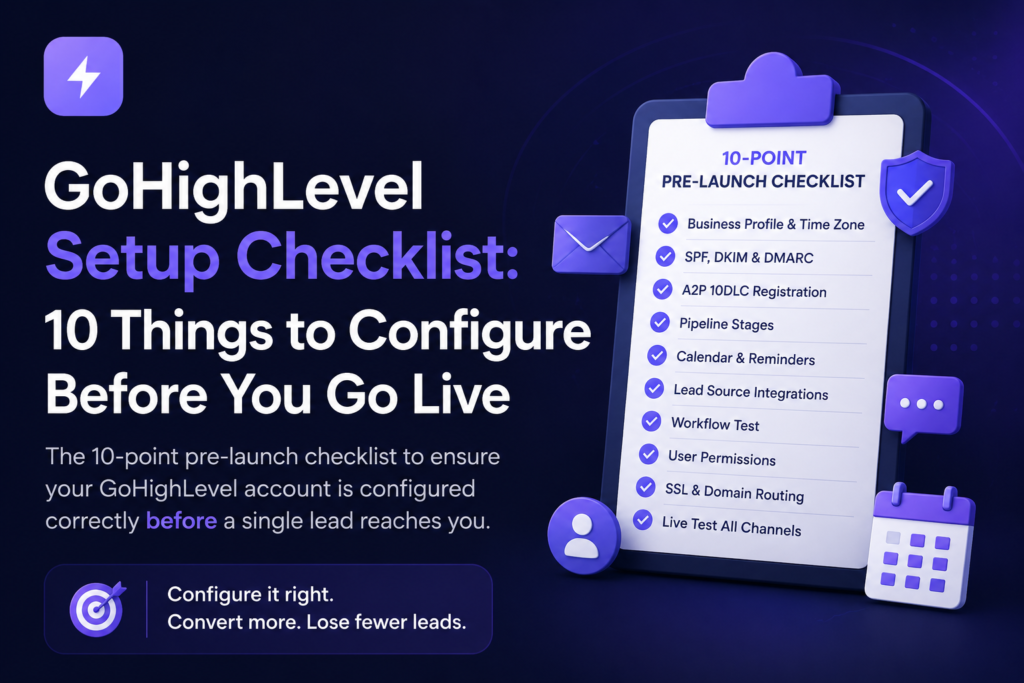
The 10-Point Pre-Launch Checklist
1. Business Profile and Time Zone Are Fully Set
Go to: Settings:- Business Profile
Confirm your business name, address, logo, and, critically, your time zone are correct. An incorrect time zone is one of the most common causes of automated messages firing at the wrong hour. If you covered this already in your initial setup, re-verify it here; it is easy to leave the default time zone in place without noticing.
2. SPF, DKIM, and DMARC All Show “Pass,” Not Just “Verified”
Go to: Settings:- Email Services:- Sending Domain
“Verified” in GHL’s dashboard is not the same as “deliverable.” Send a real test email to a Gmail address, open it, click the three-dot menu, and select “Show original.” All three checks, SPF, DKIM, and DMARC, need to show PASS, not just present.
A practitioner’s guide on GHL deliverability flags one mistake worth specifically checking for: having more than one SPF record on the same domain. If a second SPF record exists from a previous tool (an old email platform, a past website builder), Gmail will ignore both records entirely, and your authentication will silently fail even though GHL shows “verified.”
This is, by a wide margin, the most common reason cold emails land in spam after a GHL setup is otherwise complete.
3. A2P 10DLC Registration Is Approved, Not Just Submitted (US Businesses)
Go to: Settings:- Phone Numbers:- A2P Registration
Submitting your A2P registration is not the same as having it approved. Carriers can take 5–10 business days to review, and during that window, your SMS messages may be filtered, delayed, or blocked outright. Check the actual approval status before assuming your instant lead response workflow will deliver text messages reliably.
If you are outside the US, this step does not apply, but confirm your number is fully active and able to send and receive messages in a live test.
4. Every Pipeline Stage Matches a Real Step in Your Sales Process
Go to: CRM:- Pipelines
Open your pipeline and read the stage names out loud. If any of them are generic (“Stage 1,” “New,” “Follow Up” with no further context), rename them to reflect the actual decision point a lead is at. Recent operator-level guidance on GHL configuration echoes this directly: a strong setup starts with a workflow that matches how your team actually sells, not a generic template pulled from a snapshot.
Ready to Automate Your Business?
Book a free 30-minute strategy call. We'll audit your GHL setup and build a custom roadmap — completely free.
Get Your Free Audit →Vague stages do not just look unclear on a dashboard; they cause your stage-based automations to fire at the wrong moment, because “Stage 2” means something different to every person on your team.
5. Calendar Availability, Buffer Time, and Reminders Are Active
Go to: Calendars:- Your Calendar:- Settings
Confirm your bookable hours reflect your real availability, your buffer time between appointments is set, and this is the part people forget, your reminder sequence is actually toggled on, not just built. A calendar with a perfectly written reminder message that was never activated provides zero protection against no-shows.
Sync your calendar with Google or Outlook if you have not already. A two-way sync is the only way to guarantee GHL reflects your true availability and prevents accidental double-bookings.
6. Every Lead Source Is Actually Connected (Not Just Configured)
Go to: Settings:- Integrations
Open each integration website form, Facebook Lead Ads, Google Ads, and confirm the connection status is active, not “expired” or “needs reauthorization.” Integrations can silently disconnect after a password change, an API update, or an expired token, and GHL does not always surface this clearly on your main dashboard.
Submit one real test lead through each connected source. If a contact does not appear in your CRM within a minute, that source is not actually working, regardless of what the settings page says.
7. Your First Workflow Has Been Tested With a Real Contact End-to-End
Go to: Automation:- Workflows
Do not trust the workflow builder’s preview. Submit an actual test form using your own phone number and email address, and follow the contact all the way through: confirm the SMS arrives, confirm the email lands in your inbox (not spam), confirm the correct tag is applied, confirm the contact lands in the right pipeline stage, and confirm the right team member is assigned.
This single end-to-end test catches the majority of configuration errors before a real lead ever encounters them.
8. User Roles and Permissions Match Who Actually Needs Access
Go to: Settings:- My Staff
If you have a team, confirm each person has the right level of access, enough to do their job, not so much that they can accidentally edit live workflows or delete pipeline stages. This step is frequently skipped entirely on solo accounts, but the moment you bring on a second team member, it becomes critical.
9. Domain Routing, SSL, and the WWW/Non-WWW Version Are Consistent
Go to: Settings:- Domains
If you are using GHL for landing pages or your full website, confirm SSL is active (no “Not Secure” warning in the browser) and that you have picked one canonical version of your domain, either www.yourbusiness.com with a redirect in place for the other. A documented and common GHL configuration mistake is leaving both versions live without a redirect, which creates duplicate content issues and can cause confusing redirect loops for visitors.
10. A Full Live Test Has Been Run Through Every Channel, Not Just One
This is the final gate before you let real leads in. Run one complete, real test that touches every channel at once:
- Submit your contact form with real details
- Confirm the SMS arrives within 60 seconds
- Confirm the email lands in your inbox, not spam
- Book a test appointment through your calendar link
- Confirm that the booking confirmation and reminder messages are scheduled correctly
- Check the pipeline stage and tags update as expected
If every single one of these passes, your account is ready for real leads. If even one fails, you have just found the gap before it costs you a client, which is the entire point of this checklist.
What Happens If You Skip This Checklist
Skipping pre-launch verification rarely causes an obvious, loud failure. It tends to show up quietly, a steady trickle of leads who never received a follow-up, an open rate that looks fine until you check it against your bounce rate, a no-show problem that “appointment reminders” were supposed to fix, but never actually activated.
By the time most business owners notice, weeks of leads have already gone through a partially broken system. The checklist above takes roughly 30–45 minutes to run through properly. That is a small price for the certainty that every new lead is actually being captured, followed up with, and booked the way your automation was designed to do.
Frequently Asked Questions
Join Hundreds of Businesses Running on Autopilot
From lead capture to follow-up — we build the full GHL system so you can focus on delivering results, not chasing them.
See How It Works →What should be on an onboarding checklist?
Business profile, time zone, phone number, email authentication, pipeline stages, calendar, lead sources, and a tested first workflow. See our GoHighLevel Setup Checklist.
How to set up GoHighLevel?
Configure your profile, connect your phone and email, build your pipeline and calendar, then create your first workflow. Full steps: How to Set Up GoHighLevel.
What is a smart list in GoHighLevel?
A smart list is a saved, automatically updating filter that segments contacts by tags, pipeline stage, or behavior, with no manual sorting required.
What is a client onboarding checklist?
A structured set of steps to set up a new client’s tools, accounts, and workflows correctly, ensuring nothing critical is missed before launch.
Ready for a Professional Pre-Launch Audit?
If you would rather have a specialist run this checklist for you and fix anything that fails, that is exactly what our free GoHighLevel audit covers.
At AutomateFlow, we have run this exact verification process across 300+ client accounts. We catch the gaps before they cost you a lead, not after.
Book your free GoHighLevel audit completely free, no strings attached.
